
Have you ever wondered why your social media posts blend in with everyone else’s and hardly get any attention?
If you’re dealing with this issue like so many others, the fix is surprisingly simple. Just use a Font Text Generator, and you’ll see results right away. By simply changing the font, your everyday writing can turn into something extraordinary, eye-catching, and truly memorable.
In this article, we’ll cover what a Text Font Generator is, why it’s worth using, where you can apply it, and how to give your writing a unique look.
What is Font Text Generator?
Font Text is a unique style of text that looks different from regular writing. It is created using special Unicode characters.
In simple terms, when you type regular text like “Hello,” it can appear in stylish variations such as:
- 𝓗𝓸𝔀 𝓪𝓻𝓮 𝔂𝓸𝓾
- ℍ𝕠𝕨 𝕒𝕣𝕖 𝕪𝕠𝕦
- 𝐇𝐨𝐰 𝐚𝐫𝐞 𝐲𝐨𝐮
- 🄷🄾🅆 🄰🅁🄴 🅈🄾🅄
Same letters, but with completely different looks. And the best part is that these fonts work smoothly on all devices, whether you’re using a mobile phone, tablet, or computer.Font Text works with Unicode characters. Unicode is an international system that supports languages, symbols, and special characters from all over the world. So when you create a fancy text font, you’re actually using those special Unicode symbols.
Why Should You Use This Font Generator?
This fancy font generator comes with several useful benefits. Here’s a closer look at them:
1. Attracts attention
Social media is full of posts every single day. If yours is written in plain text, it can easily get overlooked. But when you use a stylish font, your content immediately stands out and catches people’s eyes.
2. Expresses personality
Your writing style says a lot about you. If you have a fun and playful vibe, choose a lively font. For a more elegant touch, go with cursive or script styles.
3. Helps in branding
If you run a business or personal brand, Font Text Styles can make your content look more polished and help your brand unique from the rest.
4. Makes the post memorable
People remember visual content better. Using this text generator turns your ordinary posts into something eye-catching that sticks in readers’ minds.
5. Increases engagement
Stylish text naturally sparks interest. People often stop to comment things like, “How did you do that?” which boosts likes, shares, and overall interaction on your posts.
Where to Use It?
There are plenty of great ways to use a font generator. Here are some of the most popular ones:
Social Media Profiles and Bios
Whether it’s Facebook, Instagram, or Twitter (X), you can use stylish fonts to make your bio more attractive. It gives your profile a professional yet creative look that unique.
Facebook and Instagram Posts
Highlight the title or key lines of your post with stylish text. This simple change makes the whole post far more eye-catching and likely to stop the scroll.
YouTube Video Descriptions
Add fancy fonts to your video descriptions or pinned comments. It helps grab viewers’ attention and makes your content feel more polished.
WhatsApp and Messenger
Spice up your chats with friends or family by using stylish letters. It adds a fun, personal touch that makes conversations more enjoyable.
Website Content
You can use decorative fonts for titles or important sections on your website. Just remember to use them sparingly, only where you want to create emphasis, not for the entire page.
Presentations and Documents
Add stylish text to your PowerPoint slides or other documents. It gives them a more professional and engaging appearance without much effort.
How to Create Font Text?
It’s surprisingly easy. There’s no need to download any apps. Just use this free online tool and you’re good to go.
Step 1: Enter your text
Type or paste the message you want to style into the text box.
Step 2: Choose a style
Your text will instantly appear in many different styles, such as bold, cursive, gothic, small caps, script, squared, and more. Simply pick the one you like best.
Step 3: Copy and paste
Copy the styled version you chose and paste it wherever you want to use it. That’s it!
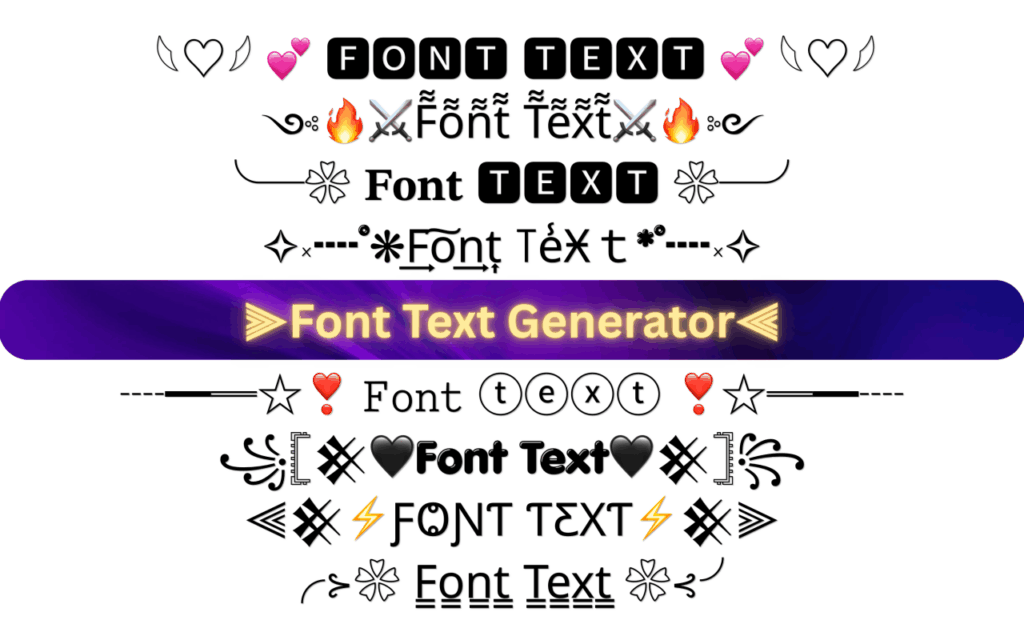
Different Styles of Text Font Generator
Font generator tools offer many different text styles to choose from. Here are some of the most popular ones:
Bold Font (𝗕𝗼𝗹𝗱)
Perfect for headings or important messages. It looks strong, eye-catching, and grabs attention right away.
Cursive Font (𝓒𝓾𝓻𝓼𝓲𝓿𝓮)
Elegant and expressive. This style works beautifully for poetry, emotional posts, or romantic messages.
Gothic Font (𝕲𝖔𝖙𝖍𝖎𝖈)
Edgy and modern. It’s a favorite among younger users who want a bold, stylish vibe.
Script Font (𝒮𝒸𝓇𝒾𝓅𝓉)
Looks like beautiful handwriting. Great for adding a personal, warm touch to your text.
Monospace Font (𝙼𝚘𝚗𝚘𝚜𝚙𝚊𝚌𝚎)
Clean and neat. Every letter takes up the same amount of space, making it ideal for organized or technical content.
Small Caps (ꜱᴍᴀʟʟ ᴄᴀᴘꜱ)
Subtle and sophisticated. It gives your text a classy, polished feel without being too flashy.
Squared Font (🅂🅀🅄🅁🄴🄳)
Boxy and unique. This style creates a fun, standout look that feels different from the rest.
Some Important Tips for Using This Tool
Using stylish fonts is great, but knowing how to use them properly makes all the difference. Here are some simple tips to keep in mind:
1. Don’t overdo it
Avoid writing your entire post in fancy fonts. Use them only for titles, headings, or key highlights. Too many stylish fonts can make your text hard to read.
2. Choose according to your audience
Fun and playful fonts work well for friends and family. For business pages or professional accounts, stick to cleaner, more polished styles.
3. Match the font with your message
Pick a style that fits the mood of your content. Cursive fonts suit inspirational quotes, while bold styles are great for announcements or important updates.
4. Avoid tiny fonts
Small or overly decorative fonts can be difficult to read. Always go for styles that are clear and easy on the eyes.
5. Test on different devices
Check how your text looks on both mobile phones and desktop screens before you post. What looks good on one may not appear the same on another.
6. Keep it clean
Too many symbols and heavy decorations can make your message look messy. A simple, minimalist approach usually works best and feels more elegant.
Is it Safe?
Yes, it is completely safe to use. Here’s why:
- You don’t need to log in or share any account details or passwords
- The tool simply converts your text and doesn’t require access to your device
- No downloads are needed
- It works smoothly on Facebook, Instagram, and other platforms without any issues
Just remember that very fancy fonts can sometimes be harder for people to read. Apart from that, there are no security risks.
Does It Work on All Devices?
Most modern devices support these stylish texts without any problem.
- iPhone and Android: Fully supported
- Computers (Windows and Mac): Works well
- Tablets: Fully compatible
A few characters may not display perfectly on very old devices (more than 5-6 years old), but it works fine on over 90% of devices in use today.
Frequently Asked Questions (FAQs)
No. You can create stylish text using this free online tool. No downloads are required.
Yes, it’s completely free.
Absolutely. It’s a great way to make your bio more attractive and eye-catching.
No. These fonts use Unicode characters, which are fully supported by all major platforms.
Yes. Feel free to copy and combine different styles to create something unique.
Yes, you can easily use emojis along with the styled text.
No. It’s best to keep passwords and sensitive information in plain text for clarity and security.
Not at all. It’s simply a matter of copying and pasting text.
Conclusion
Font Text can turn your ordinary writing into something truly eye-catching and memorable. Whether you’re posting on social media, chatting with friends, managing a business page, or writing a YouTube description, using stylish fonts helps your content unique.
It’s simple, effective, and requires no technical skills. With just one tool, you get access to countless font styles to choose from.
So why wait? Give your writing a fresh new look today. Try the Font Text Generator and watch your posts come to life!